
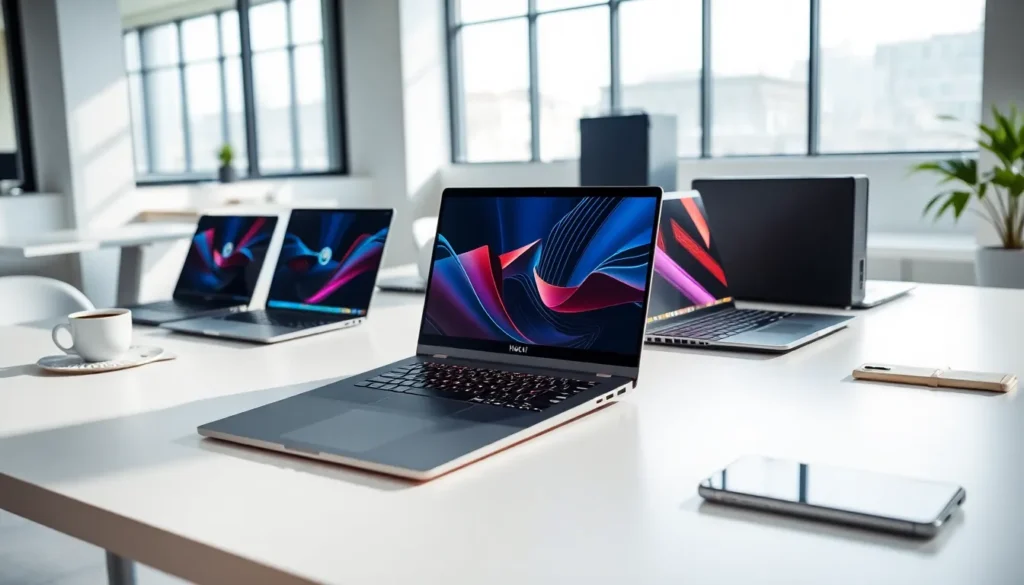
Laptops have become essential tools for work, education, and entertainment. With hundreds of models available, finding the right laptop can feel overwhelming. This guide breaks down everything buyers need to know, from laptop types and key specifications to matching a device with specific needs and getting the best value. Whether someone needs a laptop for basic browsing, professional video editing, or competitive gaming, understanding the options makes all the difference. The following sections provide clear, actionable information to help readers make confident purchasing decisions.
Table of Contents
ToggleKey Takeaways
- Laptops fall into distinct categories—ultrabooks, gaming laptops, 2-in-1s, Chromebooks, and workstations—each designed for specific use cases and budgets.
- For most users, a laptop with an Intel Core i5 or AMD Ryzen 5 processor, 8GB RAM, and a 256-512GB SSD provides the best balance of performance and value.
- Match your laptop to your needs: students benefit from portability and battery life, while gamers and creative professionals require dedicated graphics and higher RAM.
- Time your purchase around Black Friday, Prime Day, or back-to-school season to save significantly on laptop prices.
- Consider certified refurbished laptops to save 20-40% on devices that function like new and often include warranties.
- Plan for the future by investing in a laptop that will remain useful for 4-5 years, avoiding the higher long-term cost of early replacement.
Understanding Different Laptop Types
Laptops fall into several distinct categories, each designed for specific use cases. Knowing these categories helps buyers narrow their search quickly.
Ultrabooks prioritize portability. These thin, lightweight laptops typically weigh under three pounds and offer excellent battery life. They work well for professionals who travel frequently or students who carry their devices between classes. Most ultrabooks sacrifice some processing power for their slim profiles, but premium models still deliver solid performance.
Traditional laptops balance portability with functionality. They usually feature 14- to 16-inch screens, offer a range of specifications, and suit general users who need a reliable all-purpose machine. These laptops handle everyday tasks like document editing, web browsing, and video streaming without issues.
Gaming laptops pack high-performance components into portable frames. They feature dedicated graphics cards, fast processors, and advanced cooling systems. These machines handle demanding games and creative software like video editors and 3D modeling programs. The trade-off? They’re heavier, bulkier, and drain batteries faster than other laptops.
2-in-1 laptops combine laptop and tablet functionality. Their screens either detach completely or fold back 360 degrees. These versatile devices appeal to users who want touchscreen capability and the flexibility to switch between typing and drawing or note-taking.
Chromebooks run Google’s Chrome OS instead of Windows or macOS. They’re affordable, boot quickly, and work well for cloud-based tasks. Students and budget-conscious buyers often choose Chromebooks for their simplicity and low maintenance requirements.
Workstation laptops target professionals who need maximum processing power. Engineers, architects, and data scientists use these powerful machines for resource-intensive applications. They come with premium price tags but deliver desktop-level performance in portable packages.
Key Specifications to Consider
Laptop specifications determine what a machine can do and how well it performs. Understanding these specs prevents buyers from overpaying for features they won’t use, or underspending and ending up frustrated.
Processor and Performance
The processor (CPU) acts as the laptop’s brain. It determines how fast the computer handles tasks and runs applications.
Intel and AMD dominate the laptop processor market. Intel’s Core series uses labels like i3, i5, i7, and i9, higher numbers indicate more power. AMD’s Ryzen processors follow similar naming: Ryzen 3, 5, 7, and 9.
For basic tasks like email, web browsing, and document editing, an Intel Core i3 or AMD Ryzen 3 works fine. Mid-range laptops with i5 or Ryzen 5 processors handle multitasking, photo editing, and light gaming smoothly. Power users who run demanding software should look at i7/Ryzen 7 or higher.
Apple’s M-series chips (M1, M2, M3, and their Pro/Max variants) power MacBooks. These processors deliver impressive performance and battery efficiency, making MacBooks strong choices for creative professionals.
Generation matters too. A newer i5 often outperforms an older i7. Check the generation number (usually the first digit after the model name) when comparing laptops.
Memory and Storage Options
RAM (Random Access Memory) determines how many programs a laptop can run simultaneously. Think of it as the computer’s short-term memory.
- 4GB RAM: Minimum for basic computing. Will feel sluggish with multiple browser tabs open.
- 8GB RAM: The sweet spot for most users. Handles everyday tasks and light creative work.
- 16GB RAM: Ideal for multitaskers, gamers, and professionals working with large files.
- 32GB+ RAM: Reserved for heavy-duty applications like video production or running virtual machines.
Most modern laptops use soldered RAM that can’t be upgraded later. Buyers should purchase the amount they’ll need for the laptop’s entire lifespan.
Storage comes in two main types. Solid State Drives (SSDs) are faster, quieter, and more durable than traditional Hard Disk Drives (HDDs). Nearly all laptops now ship with SSDs as the primary storage.
Storage capacity depends on individual needs:
- 128GB: Tight for most users: requires heavy reliance on cloud storage.
- 256GB: Works for light users who stream media instead of storing it locally.
- 512GB: Comfortable space for most people’s files, apps, and some games.
- 1TB+: Necessary for large media libraries, games, or professional work files.
Some laptops allow storage upgrades, providing flexibility for users whose needs grow over time.
How to Match a Laptop to Your Needs
The best laptop depends entirely on how someone plans to use it. Here’s a breakdown by user type.
Students need portability, battery life, and durability. A lightweight laptop with at least 8GB RAM, 256GB storage, and 8+ hours of battery works well. Chromebooks offer budget-friendly options for those who rely on Google’s ecosystem. Students in creative fields should invest in laptops with better displays and more powerful processors.
Business professionals benefit from laptops with excellent keyboards, strong security features, and long battery life. Lenovo’s ThinkPad line and Dell’s Latitude series are popular choices. For frequent travelers, screen size becomes a consideration, 13 to 14 inches balances visibility with portability.
Creative professionals (photographers, video editors, graphic designers) need color-accurate displays, fast processors, and ample RAM. MacBooks remain favorites in creative industries, though Windows laptops from ASUS, MSI, and others now compete strongly. At minimum, these users should look for 16GB RAM, dedicated graphics, and high-resolution screens.
Gamers require dedicated graphics cards from NVIDIA (RTX series) or AMD (Radeon RX series). Screen refresh rate matters too, 120Hz or 144Hz displays provide smoother gameplay than standard 60Hz panels. Adequate cooling systems prevent thermal throttling during extended gaming sessions.
Casual users who browse the web, stream videos, and handle basic productivity don’t need premium specs. A mid-range laptop with an i5/Ryzen 5 processor, 8GB RAM, and 256GB SSD covers these needs without overspending.
Buyers should also consider future needs. A laptop purchased today should remain useful for 4-5 years. Spending a bit more upfront on extra RAM or storage often proves worthwhile.
Tips for Getting the Best Value
Smart shopping strategies help buyers get more laptop for their money.
Time purchases strategically. Laptop prices drop significantly during Black Friday, Prime Day, and back-to-school season. Manufacturers also discount older models when new generations launch, usually spring for gaming laptops and fall for business machines.
Consider refurbished laptops. Certified refurbished units from manufacturers or authorized resellers undergo testing and often come with warranties. Buyers can save 20-40% on laptops that function like new.
Skip unnecessary features. A touchscreen adds $100-200 to a laptop’s price but provides little value for users who won’t use it. 4K displays look gorgeous but drain batteries faster and may be overkill on smaller screens. Identify must-haves versus nice-to-haves before shopping.
Check the warranty and support options. A good warranty protects against defects and accidents. Some manufacturers offer better support than others, business-focused brands like Lenovo and Dell typically provide responsive service.
Read reviews from multiple sources. Professional reviews reveal performance data and build quality issues. User reviews highlight real-world reliability and customer service experiences. Both perspectives matter.
Don’t forget peripherals. Budget for a quality mouse, a laptop stand for better ergonomics, and perhaps an external monitor for productivity. Some laptops require adapters for common ports, factor those costs in.
Compare total cost of ownership. A cheaper laptop that needs replacement in two years costs more than a quality machine that lasts five. Durability, upgrade options, and software requirements all affect long-term value.